


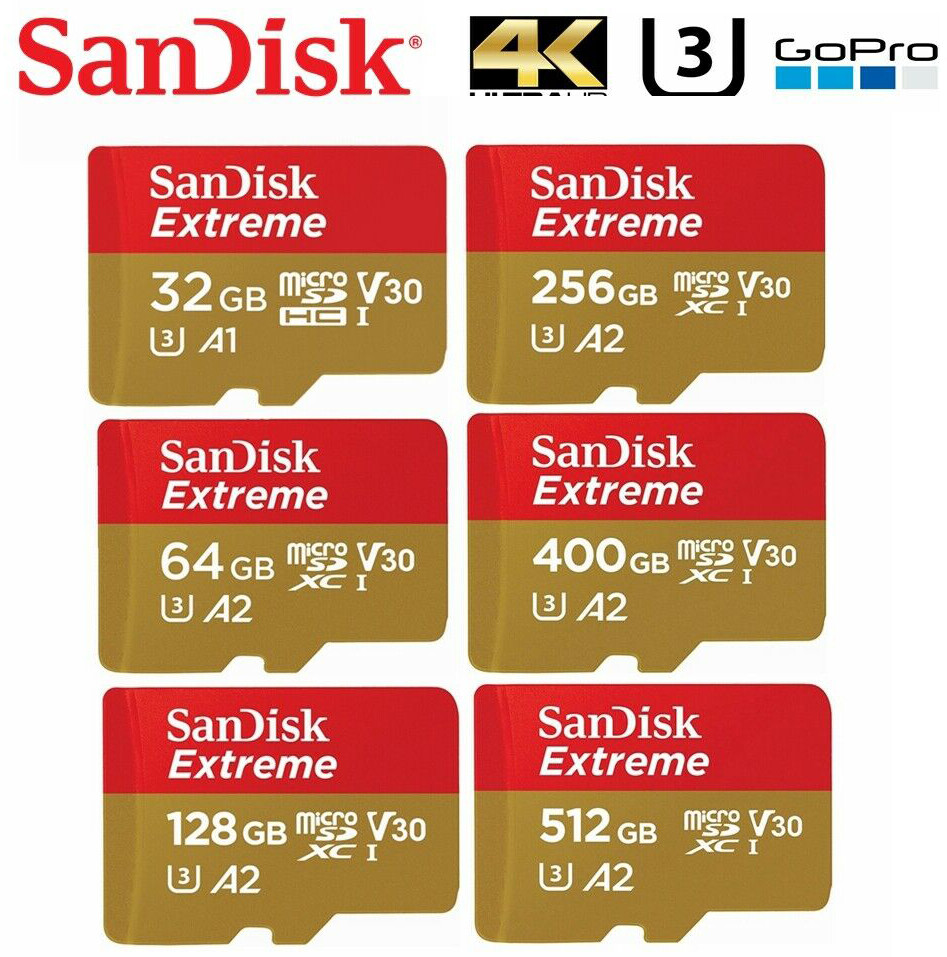
32GB ≈ 2–4 hours; 64GB ≈ 4–8 hours; 128GB ≈ 8–16 hours; 256GB ≈ 16–32 hours; 512GB ≈ 32–64 hours.
If you want clear, practical answers about how much dash cam footage on 32GB / 64GB / 128GB / 256GB / 512GB, you’re in the right place. I’ve spent years testing dash cams and SD cards, and I’ll walk you through the math, real-world estimates, and smart tips to get the most recording time from every card. Read on to learn exactly what affects recording time, how to choose the right card, and simple tweaks to double or triple your usable footage.
How dash cam file size and recording time work
Dash cam footage size comes down to bitrate, resolution, framerate, and compression. Bitrate is the main driver: higher bitrate means larger files and shorter recording time. Modern codecs like H.264 and H.265 compress video more efficiently, so a 4K H.265 file can be smaller than a 1080p H.264 file at a high bitrate.
Most dash cams use loop recording. The camera writes short clips (often 1–5 minutes) and overwrites the oldest files when storage is full. If you want to predict how much footage you’ll get, estimate the bitrate (megabits per second) and convert to hours.
how much dash cam footage on 32GB / 64GB / 128GB / 256GB / 512GB

Factors that affect how much dash cam footage on 32GB / 64GB / 128GB / 256GB / 512GB
- Resolution and framerate. Higher resolution or higher fps increases file size quickly.
- Codec and compression. H.265 can reduce file size by 30–50% vs H.264 in some cases.
- Bitrate setting. Some cameras let you choose low/medium/high bitrate. High gives clearer video but uses more space.
- Scene complexity. Busy roads and night grain raise bitrate in variable bitrate modes.
- Audio and overlays. Recording audio or GPS data adds a small amount of storage use.
- Parking and motion modes. Continuous parking recording uses more space than motion-activated recording.
- Loop length. Short clips can create slightly more overhead, but they make file recovery easier.
Knowing these factors helps you estimate how much storage you’ll need and how settings change how much dash cam footage on 32GB / 64GB / 128GB / 256GB / 512GB.
Estimated recording times by card size (practical guide)
Below are practical estimates for common settings. These are rounded averages. Real results vary by camera and traffic conditions.
1080p (1920×1080) @ 30fps, H.264, medium bitrate ~ 8–12 Mbps
- 32GB — about 3–4 hours
- 64GB — about 6–8 hours
- 128GB — about 12–16 hours
- 256GB — about 24–32 hours
- 512GB — about 48–64 hours
1080p @ 60fps, H.264, higher bitrate ~ 16–20 Mbps
- 32GB — about 1.5–2.5 hours
- 64GB — about 3–5 hours
- 128GB — about 6–10 hours
- 256GB — about 12–20 hours
- 512GB — about 24–40 hours
1440p / 2K @ 30fps, H.264 or H.265, ~ 15–25 Mbps
- 32GB — about 1.5–3 hours
- 64GB — about 3–6 hours
- 128GB — about 6–12 hours
- 256GB — about 12–24 hours
- 512GB — about 24–48 hours
4K @ 30fps, H.265, ~ 25–40 Mbps
- 32GB — about 1–1.5 hours
- 64GB — about 2–3 hours
- 128GB — about 4–6 hours
- 256GB — about 8–12 hours
- 512GB — about 16–24 hours
These numbers help you decide which card size fits your routine. If you commute two hours daily, check where your target fits in these ranges to match how much dash cam footage on 32GB / 64GB / 128GB / 256GB / 512GB you actually need.

Tips to maximize storage and get more footage
- Lower resolution or framerate. Drop from 4K to 1080p to multiply recording time.
- Use H.265 if your camera supports it for better compression.
- Choose medium or low bitrate for routine drives; keep high bitrate for critical routes or highway driving.
- Enable motion/parking mode only when needed to avoid constant recording while parked.
- Set loop lengths to 3–5 minutes for efficient file recovery and less overhead.
- Turn off audio recording if you don’t need it. Audio uses some space.
- Format the card in-camera regularly to keep file allocation efficient.
- Buy a high-endurance SD card rated for continuous video write cycles.
These simple steps can significantly change how much dash cam footage on 32GB / 64GB / 128GB / 256GB / 512GB you get.
Choosing the right SD card and common mistakes
Choose a card built for continuous recording. Look for high endurance, V30 or higher write speed rating, and UHS classifications that your camera supports. Avoid cheap or suspiciously cheap cards — they may be counterfeit and report false capacity.
Common mistakes I’ve seen:
- Buying a standard consumer card and using it for parking mode, then wondering why it died in months.
- Forgetting to format the card in-camera, which causes fragmentation and lost space.
- Using the highest resolution without testing how long the card lasts. Start with a sample day.
Following these guidelines will help you avoid headaches and get reliable, predictable footage coverage for how much dash cam footage on 32GB / 64GB / 128GB / 256GB / 512GB.

Real-world examples and personal experience
I once set a dash cam to 4K 60fps on a long road trip and filled a 128GB card in about five hours. Lesson learned: match settings to real needs. For daily commuting I switched to 1080p @30fps and doubled my retention.
Another time I relied on cheap off-brand cards for parking mode. The card failed after a couple months and I lost weeks of footage. Since then, I use only high-endurance cards and format them monthly.
These real examples show how settings and card quality change how much dash cam footage on 32GB / 64GB / 128GB / 256GB / 512GB in real life.

Frequently Asked Questions of how much dash cam footage on 32GB / 64GB / 128GB / 256GB / 512GB
How many hours will a 64GB card record in 1080p?
A 64GB card typically records about 6–8 hours at 1080p30 with medium bitrate. Using H.265 or lowering bitrate can extend this to 8–10 hours.
Will a 512GB card hold a full day of high-resolution footage?
Yes. A 512GB card can often hold a full day of 1080p or even 2K footage, but 4K with high bitrate may still fill it within a day. Adjust settings to be sure.
Does H.265 really save space compared to H.264?
Yes. H.265 can cut file size by roughly 30–50% for similar quality, meaning more hours per card. Your camera and playback devices must support H.265.
Do loop recording and clip length affect available footage?
Clip length affects minor overhead but not much of total storage. Loop recording simply overwrites older clips, so total hours depend on card size and bitrate, not clip length.
How do parking modes change storage needs?
Parking modes that record continuously use a lot more storage. Motion-triggered parking recordings save space by recording only events, stretching card capacity significantly.
Conclusion
You don’t need to guess anymore — settings and bitrate determine how much dash cam footage on 32GB / 64GB / 128GB / 256GB / 512GB you’ll get. Pick a card size based on daily drive time, desired resolution, and whether you need parking mode. For most drivers, a 128GB high-endurance card at 1080p30 hits a sweet spot for reliability and retention.
Take action: test one week with your chosen settings, check actual footage hours, and adjust if needed. If you found this useful, leave a comment, subscribe for more tips, or try the recommended settings and share your results.

