


Mirror cams give a wider, cleaner view; dash cams excel at raw recording and price.
I have tested and installed both dash cam vs mirror cam systems across many cars. I will walk you through differences, pros and cons, and real-world tips. This guide aims to help you choose the right setup for safety, evidence, and everyday driving. Read on to learn how each option performs and which one fits your needs best.

How dash cams and mirror cams work
Dash cams mount on the dashboard or windshield. They record video of the road ahead. They often have single or dual lenses for front and rear recording.
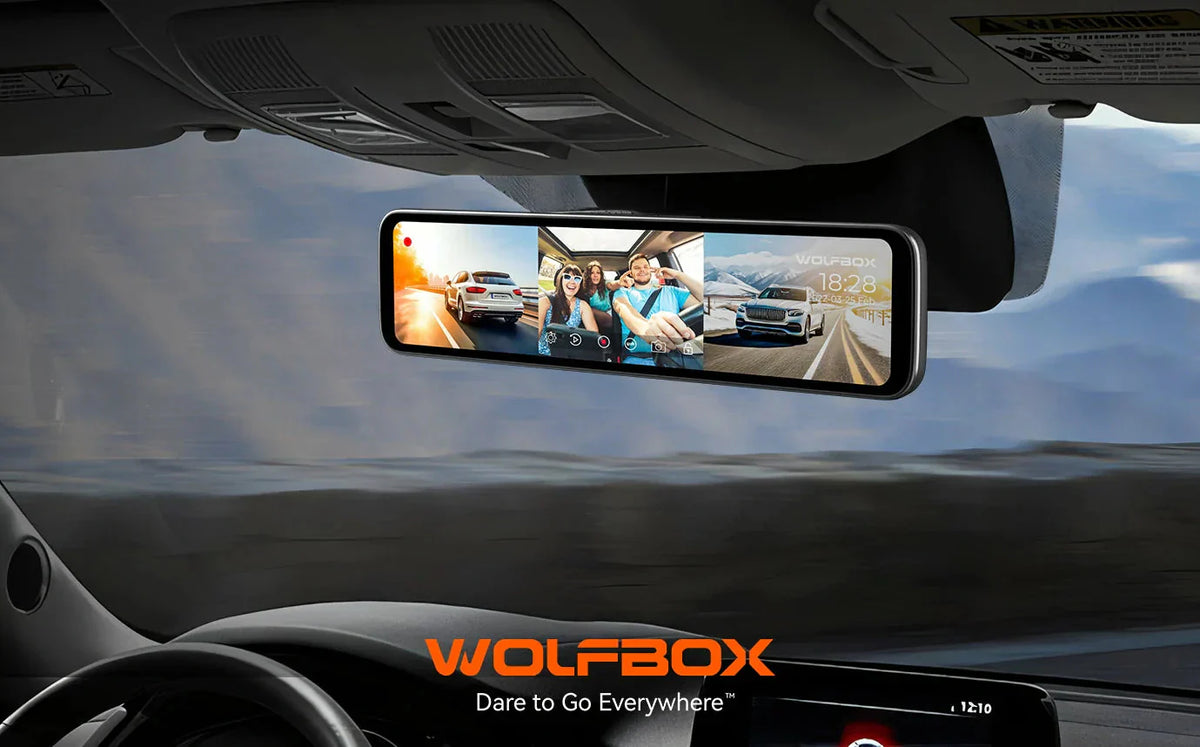
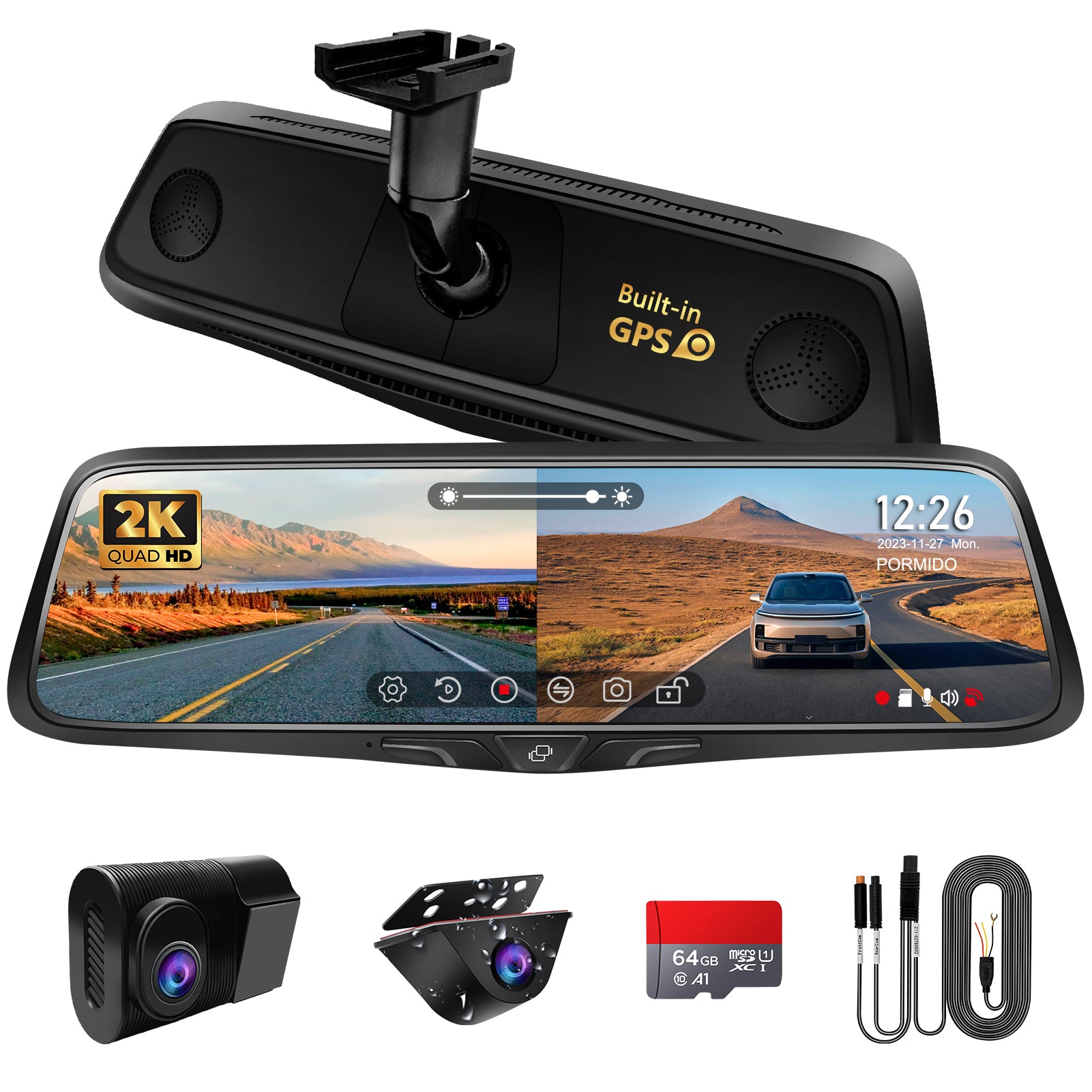
Mirror cams replace or clip over your rearview mirror. They combine a rearview display with a camera feed. The mirror cam shows live video on the mirror glass and records simultaneously.
Both systems save footage to local storage or the cloud. Many models offer loop recording, G-sensor event saves, and parking mode. Understanding basic operation helps pick the right features for your car and driving habits.

Key differences at a glance
- Installation and fit: Dash cams are small and sit behind the rearview mirror or on the dash. Mirror cams either clip onto the mirror or replace it. Mirror cam installs can feel cleaner in some cars.
- Field of view: Mirror cams often provide a wider, unobstructed view. Dash cams can be mounted for optimal angle but may be blocked by pillars or accessories.
- Display and usability: Mirror cams show live video on the mirror surface. Dash cams may have small built-in screens or rely on a phone app. Mirror cams give an immediate, large view that helps when reversing.
- Video quality: High-end dash cams often focus on top video encoding and sensor quality. Mirror cams now match many dash cams but vary by brand and price.
- Parking and motion detection: Both offer parking mode, but implementation varies. Dash cams with hardwire kits can monitor power for long durations.
- Connectivity: Many dash cams include Wi-Fi and GPS. Mirror cams may offer the same, with some adding ADAS overlays or touchscreen controls.
- Aesthetics and visibility: Mirror cams blend into the cabin more. Dash cams are less intrusive visually but can stick out on the windshield.
These core differences shape your choice when comparing dash cam vs mirror cam. Think about what matters most to you: video quality, view range, or a clean cabin look.

Pros and cons: dash cam vs mirror cam
Dash cam pros
- Typically lower cost for good quality video.
- More third-party options and accessories.
- Compact and often easy to hide.
Dash cam cons - May block part of the windshield if badly positioned.
- Small screens can be hard to use.
- Some models have weaker mirror-free visibility.
Mirror cam pros
- Wide, unobstructed live view for driving and reversing.
- Cleaner look and integrated display.
- Good for drivers who value a practical rearview replacement.
Mirror cam cons - Usually pricier than basic dash cams.
- Installation can be bulkier depending on mirror design.
- Some mirror cam screens reflect in certain light.
When evaluating dash cam vs mirror cam, weigh what you use daily. If live rear view matters, mirror cam often wins. If raw video quality and budget matter, a dash cam may be better.
Installation, power, and legal considerations
Installation tips
- Place dash cam behind the rearview mirror for minimal obstruction.
- For mirror cam, test clip fit before final wiring.
- Use a professional hardwire kit for parking mode to avoid draining the battery.
Power and storage
- Use a hardwire kit or a long USB cable for continuous parking mode.
- Choose high-endurance microSD cards for continuous recording.
- Enable format-free or frequent format schedules when supported.
Legal and privacy notes
- Check local laws about in-car recording and audio capture.
- Avoid pointing cameras into private homes when parked.
- In many regions, dash cam footage is admissible in claims if unaltered.
Understanding installation and legal issues helps you avoid surprises. Plan power and storage based on how long you want coverage while parked.

Cost and feature comparison
Entry-level
- Dash cam: affordable, basic 1080p recording, loop recording.
- Mirror cam: fewer low-cost options, basic display and camera.
Mid-range
- Dash cam: 2K or 1440p, GPS, app connectivity, parking mode.
- Mirror cam: higher-quality display, better wide-angle lenses, 1080p+ recording.
Premium
- Dash cam: multi-channel (front, rear, interior), advanced sensors, cloud backup.
- Mirror cam: high-res display, integrated ADAS, HDR sensors, dual-channel recording.
Feature checklist when comparing dash cam vs mirror cam
- Resolution and frame rate
- Night vision and HDR
- Parking mode types: motion, impact, time-lapse
- GPS and speed overlay
- Parking current draw and hardwire options
- App usability and Wi-Fi transfer speed
Budget, features, and how you drive determine the best value. I recommend choosing one with a reliable parking mode and an easy way to retrieve footage.
Personal experience and practical tips
I have installed both systems in sedans and SUVs. In city driving, mirror cams improved my situational awareness. I liked seeing a live, wide rear view while navigating tight lanes.
On long trips, dash cams provided clearer evidence for lane incidents. I once used dash cam footage to prove responsibility in a minor collision. The recording showed clear timestamps and GPS data, which helped settle the claim quickly.
My favorite tips
- Mount high and center for the best field of view.
- Use a soldered or high-quality microSD card to avoid corruption.
- Test footage at night to confirm low-light performance.
- Keep the firmware updated for improved stability and features.
Mistakes I learned from
- Buying solely by price led to poor parking mode and overheating issues.
- Ignoring hardwiring options limited parking recording time.
- Failing to check local laws caused awkward privacy questions.
These real experiences sharpened my view on dash cam vs mirror cam. Choose based on real driving needs and long-term reliability. When evaluating the options, it’s important to consider the specific features that will enhance your driving experience. The Garmin dash cam features and benefits, such as comprehensive video recording and driver alerts, can significantly improve safety and peace of mind on the road. Ultimately, selecting the right camera involves balancing instantaneous needs with long-term functionality to ensure consistent performance during all types of driving scenarios. When evaluating options, it’s essential to consider factors such as video quality, ease of installation, and storage capabilities. A garmin dash cam features comparison can help identify models that meet specific requirements while ensuring durability on the road. Ultimately, investing in the right device can significantly enhance safety and peace of mind during your journeys. Additionally, understanding the differences between HDR vs WDR in dash cams is crucial, as these technologies improve image clarity in various lighting conditions. WDR (Wide Dynamic Range) is particularly beneficial for capturing balanced images in high contrast environments, whereas HDR (High Dynamic Range) enhances vibrant colors and details. By prioritizing these features, drivers can ensure that their recordings are clear and useful, regardless of the circumstances.

Frequently Asked Questions of dash cam vs mirror cam
What is the main advantage of a mirror cam over a dash cam?
A mirror cam gives a wide, unobstructed live view that replaces the mirror. This improves visibility, especially when cargo or passengers block a standard view.
Are dash cams better at video quality than mirror cams?
Not always. Many dash cams offer top-tier sensors, but recent mirror cams match or exceed dash cam video in similar price ranges. Check resolution, HDR, and low-light reviews.
Can I hardwire a mirror cam like a dash cam?
Yes. Most mirror cams can be hardwired with a proper kit. Hardwiring enables reliable parking mode without draining the car battery excessively.
Is footage from dash cam vs mirror cam legally valid?
Footage can be valid in claims if it is unaltered and properly timestamped. Local laws vary, so check rules about audio recording and data privacy.
Will a mirror cam block my view as a dash cam might?
A mirror cam is designed to replace or clip onto the mirror, so it usually does not block the windshield. A poorly mounted dash cam can sometimes obstruct sight lines.
How do I choose storage size for long drives or parking mode?
Choose at least 64GB for regular use and 128GB or higher for long trips or extended parking recording. High-endurance cards prevent file corruption during continuous writes.
Do mirror cams support rear cameras like dash cams?
Many mirror cams support rear or rear-view cameras. This lets you record both front and rear, similar to dual-channel dash cams.
Is it easy to retrieve recorded footage from mirror cams?
Most modern mirror cams offer Wi-Fi or direct microSD access for quick retrieval. Some models include cloud backup or easy app transfers for instant clips.
Can dash cam vs mirror cam systems alert drivers to hazards?
Some mirror cams include ADAS warnings like lane departure or forward collision alerts. Dash cams sometimes provide these features but it depends on the model.
Which is better for rideshare drivers?
Rideshare drivers often prefer dual-channel dash cams for interior recording plus front and rear coverage. Mirror cams help with rear visibility but verify interior coverage needs.
Conclusion
Choosing between dash cam vs mirror cam comes down to use, budget, and cabin aesthetics. Dash cams are great for raw video quality and cost efficiency. Mirror cams win for live, wide rear views and a cleaner cabin look. Pick the system that matches your driving style, parking needs, and desire for a neat installation.
Take action: list your must-have features, set a budget, and test real footage before buying. If you enjoyed this guide, leave a comment or share your experience with dash cam vs mirror cam to help others decide.

