


Regular care, quality parts, proper power, and smart settings dramatically extend dash cam lifespan.
I’ve spent years testing car cameras and fixing issues for friends and family. This complete guide on how to extend life of your car dash cam complete guide draws on hands-on experience, repair work, and best practices from the field. You’ll get clear steps to prevent common failures, practical checks you can do in minutes, and the settings that reduce wear. Read on to protect your investment and keep your dash cam recording reliably for years.

Common reasons dash cams fail
Dash cams stop working for a few repeatable reasons. Heat and cold stress internal parts. Cheap or low-quality microSD cards wear out fast. Poor power wiring causes spikes and brownouts. Old firmware or full memory can make the camera crash. Parking mode recording and continuous overwriting put extra stress on the unit and the card.
- Heat can damage solder joints and sensors.
- Low-grade power supplies and cigarette-lighter adapters can cause voltage spikes.
- Rewriting low-quality microSD cards daily shortens their life.
Addressing these causes helps you understand how to extend life of your car dash cam complete guide.
Choose durable hardware
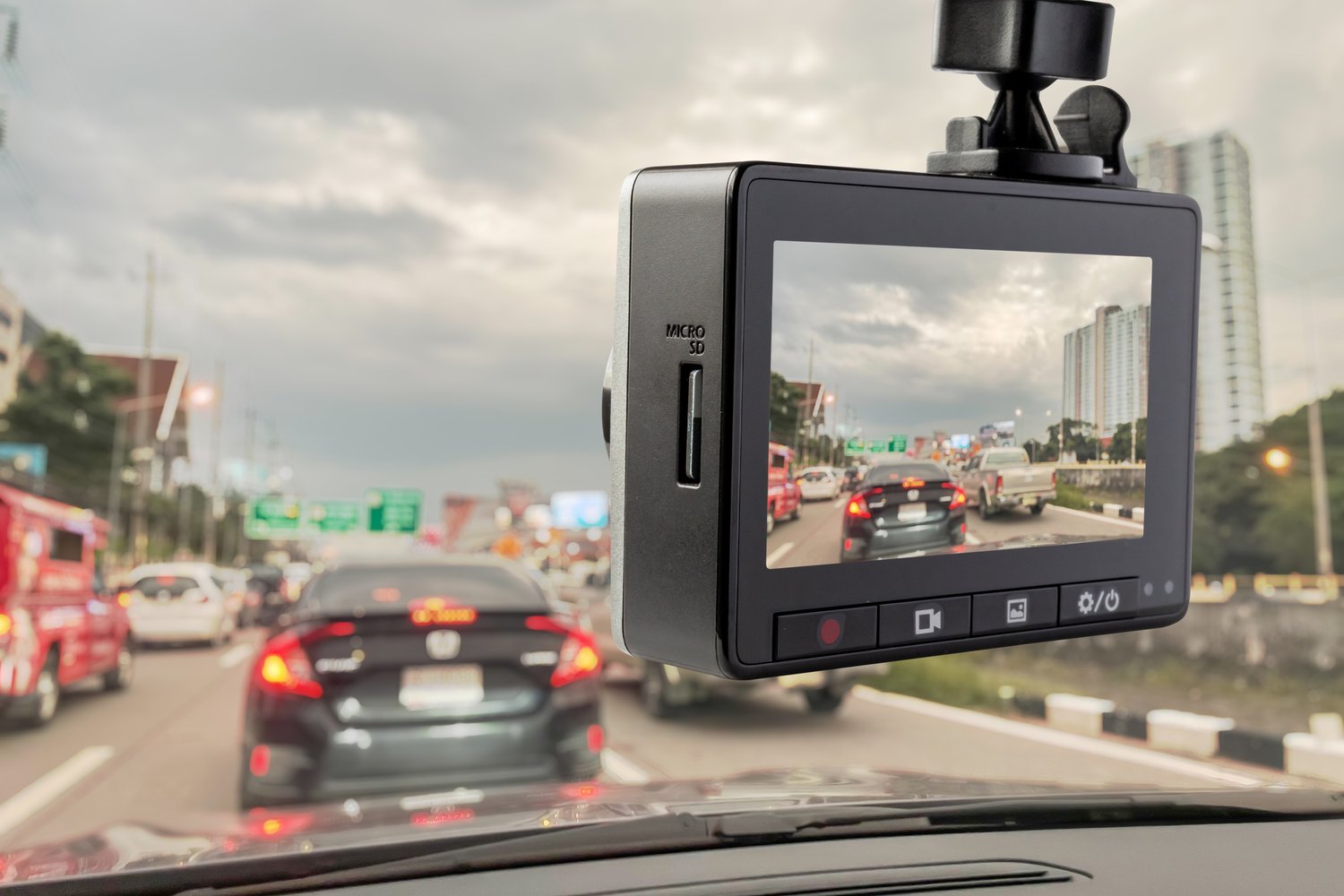
Pick a dash cam built for long life. Look for models with a capacitor instead of a battery if you live in extreme temperatures. Capacitors tolerate heat and cold better than batteries. Check the operating temperature range and IP rating for moisture resistance. Buy from brands with a good warranty and clear support.
- Choose a capacitor-equipped model for hot climates.
- Select a camera rated for at least -20°C to 70°C for wide temperature swings.
- Prefer units with replaceable mounts and a solid metal frame.
Choosing the right hardware at the start is a key step in how to extend life of your car dash cam complete guide.

Power and wiring best practices
Stable power is essential. Hardwiring to a fused constant power line is better than using the cigarette lighter. Use a proper hardwire kit with a low-voltage cutoff. That prevents deep-drain and battery damage during parking mode. Ground connections should be clean and tight. Avoid low-quality USB adapters and multi-port chargers.
- Use a hardwire kit with an adjustable voltage cutoff (11.6–12.5V recommended).
- Fuse tap installations should follow car manual guidance or be done by a pro.
- Use good-quality wiring and avoid long, thin cable runs that heat up.
Following these power tips will directly impact how to extend life of your car dash cam complete guide by preventing electrical faults.

SD card care and management
The microSD card is the most common failure point. Use high-endurance cards designed for surveillance or dash cam use. Avoid cheap, generic cards. Format the card in the camera every month or two. Enable loop recording with moderate file sizes to avoid constant large writes.
- Buy high-endurance, surveillance-grade microSD cards (32GB–128GB common).
- Format the card in-camera every 6–8 weeks to clear hidden errors.
- Set loop lengths to 1–5 minutes to limit file corruption and speed up overwrite.
Good SD habits are the backbone of how to extend life of your car dash cam complete guide.

Protect from heat, cold, and moisture
Temperature extremes stress the camera electronics. Park in shade when possible. If you live in high-heat areas, mount the camera away from direct sun on the dash or use a sunshade. For winter, keep the car in a garage if you can. Moisture leads to internal corrosion, so avoid wet storage and keep seals clean.
- Park under cover or in shade to reduce cabin temperature.
- Remove the dash cam when you know the car will sit unused in extreme cold or heat for days.
- Check suction mounts or adhesives regularly for degradation from heat.
These steps show practical ways to extend life of your car dash cam complete guide in real-world weather.

Firmware, settings, and recording practices
Keep firmware current. Manufacturers release updates to fix bugs and improve stability. Use lower bitrate or resolution when extreme file quality isn’t needed. Turn off unused features like Wi-Fi when not needed to cut heat and power draw. Adjust parking mode sensitivity to avoid constant wake-ups.
- Check firmware monthly and install updates from official channels.
- Lower bitrate or 1080p if 4K is not necessary to reduce write cycles.
- Disable continuous Wi-Fi streaming and frequent GPS writes.
Smart settings and updates directly increase how to extend life of your car dash cam complete guide by reducing stress and bugs.

Cleaning, mounting, and cable care
A clean lens records clearer video and reduces the need to reposition or reattach the camera. Secure mounts reduce vibration and wear. Avoid placing the camera where it gets direct sun on the adhesive for long periods. Route cables neatly and avoid tight bends or pinching. Replace worn mounts and cables promptly.
- Clean the lens with a soft microfiber cloth and mild cleaner.
- Use a firm mount and check it monthly for looseness.
- Route and secure cables with clips or trim to avoid damage.
Small maintenance tasks like these are simple ways to extend life of your car dash cam complete guide.

Troubleshooting and maintenance checklist
Run a short checklist monthly. Confirm the camera powers on. Check timestamps and GPS lock. Play a few recent clips to ensure recording quality. Review the microSD card health and free space. Reformat the card if you see glitches. Document recurring issues and contact support if needed.
- Power test: 10-second boot and status light check.
- Video test: play a recent clip and check audio/timestamps.
- SD test: check available space and format in-camera if errors exist.
A simple routine builds the habit and extends the useful life. These checks are central to how to extend life of your car dash cam complete guide.

Personal experience and real-world tips
From my own work, I learned small fixes matter. I once revived a camera by swapping a worn microSD card and reformatting. Another time a loose ground wire caused intermittent reboots; tightening it fixed things. I avoid cheap adapters now. If you drive in hot climates, consider a dash cam sun shield or relocate the mount to reduce direct sun exposure. These hands-on fixes save time and money.
- Replace the microSD after 2–3 years of heavy use.
- Re-seat connectors and check solder joints if the camera reboots randomly.
- Keep a spare high-endurance card in the glove box for quick swaps.
These experiences are practical lessons for how to extend life of your car dash cam complete guide.
Cost-effective upgrades and when to replace
Upgrades can extend life without a full replacement. Swap to a better SD card. Add a professional hardwire kit. Replace the mount. If the camera needs constant rebooting or the image sensor degrades, replace it. Weigh repair cost versus new purchase. Newer models often include better heat tolerance and parking modes.
- Upgrade card and wiring first for most issues.
- Replace the unit if repairs exceed 30–40% of a new camera price.
- Check warranty first; many faults are covered in early years.
Knowing when to repair or replace is part of how to extend life of your car dash cam complete guide without overspending.
Frequently Asked Questions of how to extend life of your car dash cam complete guide
What kind of SD card should I use?
Use high-endurance, surveillance-grade microSD cards. They are built for constant writing and last far longer than generic cards.
Is a capacitor better than a battery in a dash cam?
Yes. Capacitors handle temperature extremes better and reduce swelling and failures compared to lithium batteries.
How often should I update dash cam firmware?
Check for updates monthly or quarterly. Install updates promptly from the manufacturer to fix bugs and improve stability.
Should I hardwire the dash cam or use a cigarette lighter plug?
Hardwiring with a proper fuse and low-voltage cutoff is more stable and safer for long-term parking mode use.
How often should I format the SD card in-camera?
Format every 6–8 weeks for heavy use or every 3 months for light use. Regular formatting reduces corruption and errors.
Can parking mode shorten dash cam life?
Yes, if poorly managed. Continuous recording and frequent wake-ups increase write cycles and heat. Use motion-triggered modes and voltage cutoffs.
How do I prevent heat damage to my dash cam?
Park in shade, avoid direct sun on adhesive mounts, choose heat-rated models, and use a sunshade when possible.
When should I replace my dash cam?
Replace if it reboots constantly, image quality drops, or repairs cost near the price of a new unit. Also replace if it no longer supports needed safety features.
Conclusion
Follow simple steps to protect your investment. Choose a durable unit, use a high-endurance microSD, hardwire properly, manage settings, and run a monthly maintenance check. Small habits like keeping firmware updated and parking in shade make a big difference. Start today by checking your SD card and power wiring. Share your experiences below, subscribe for more gear guides, or leave a question if you need help picking parts.

