


Front-and-rear dash cams give fuller protection; front-only is cheaper and simpler to install.
I have spent years testing dash cams and helping drivers pick the right gear. In this article I compare front dash cam vs front and rear options. You will get clear facts, real user tips, and a simple way to choose the right setup for your car. I explain features, costs, setup, and common pitfalls. Read on to decide between front dash cam vs front and rear with confidence.
How front dash cam vs front and rear differ
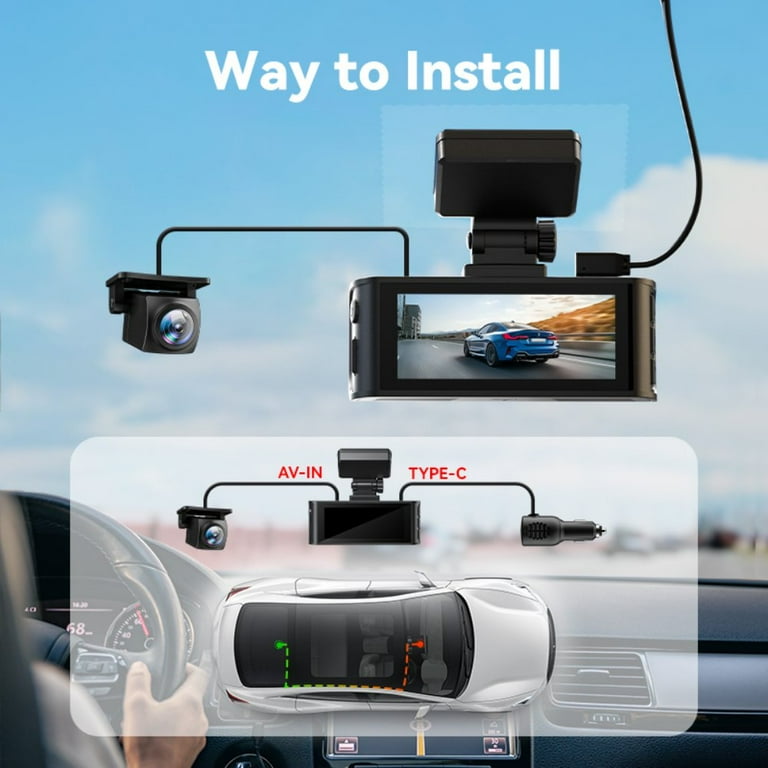
A front dash cam records the road ahead. It captures collisions, traffic stops, and license plates in front of you. A front and rear system adds a second camera for the back. This records rear-end collisions, tailgaters, and parking incidents.
Key differences at a glance
- Coverage: Front-only sees ahead. Front and rear cover both directions.
- Cost: Front-only is cheaper. Dual setups cost more.
- Installation: Front-only fits quickly. Front and rear may need routing cables.
- Evidence: Front and rear give fuller proof in many crashes.
If you want basic protection, a front dash cam may be enough. If you want full protection, choose front and rear. This is the core trade-off when comparing front dash cam vs front and rear.

Video quality, fields of view, and recording features
Video quality is crucial. A clear video helps prove fault. Both systems can offer 1080p or 1440p. Higher resolution shows plates and faces more clearly.
What to check
- Resolution and frame rate: Aim for at least 1080p at 30 fps.
- Night performance: Look for good low-light sensors and WDR.
- Field of view: 120–160 degrees covers lanes well; too wide may distort plates.
- GPS and speed overlay: Helps timestamp location and speed when needed.
- Loop recording and G-sensor: Ensures continuous recording and crash locks.
When comparing front dash cam vs front and rear, make sure both cameras match in quality. A weak rear camera hurts evidence in a rear collision.

Installation, wiring, and power options
Installation is a practical factor. Front-only installs faster. You usually stick the camera to the windshield and plug it into the 12V socket. Front and rear systems need a second camera and a cable run to the rear window. Hardwiring is common for parking mode.
Installation options
- Plug-and-play: Quick install using the cigarette adapter.
- Hardwire kit: Powers the cam when parked and hides wires.
- Professional install: Best for clean wiring and rear camera routing.
If you want parking recording, front dash cam vs front and rear again matters. Dual cams with hardwire give the best parked coverage. I once drove a rental where the rear camera wire was visible and noisy. I recommend professional routing for a clean finish.

Parking mode, security, and storage needs
Parking mode matters for many drivers. It records impacts when the car is off. Front-and-rear systems capture both front and rear hits. Front-only can miss a hit from behind.
Storage and power tips
- Use high-end microSD cards rated for dash cams.
- Set loop lengths to 1–3 minutes for easy review.
- Enable event locking on impacts to preserve clips.
- Consider a battery pack for long parking mode duration.
My car was hit in a grocery lot once. My front dash cam caught nothing because the hit was from the rear. After that I switched to front and rear. That experience shows why front dash cam vs front and rear can be a deciding factor.
Cost comparison and value
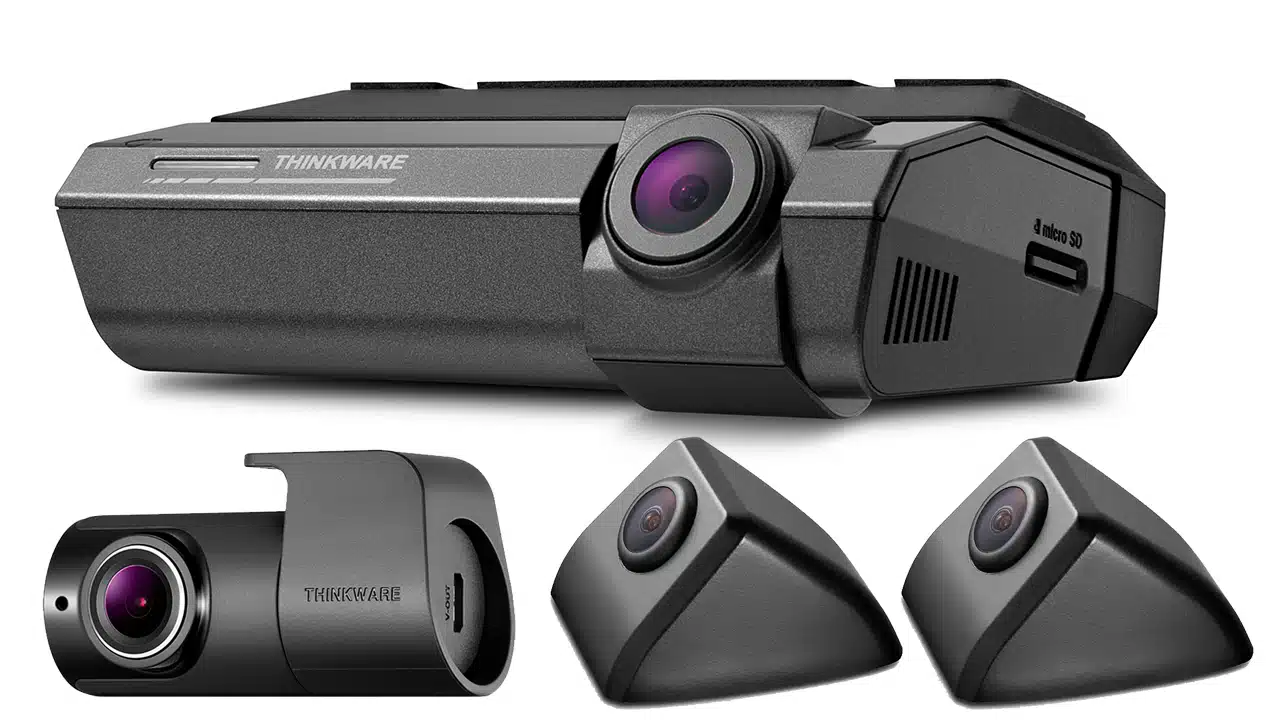
Cost varies by brand and features. Front-only units can start under $50. Good front-only units are often $100–$200. Front and rear kits usually start around $150 and go up to $400 or more.
Value considerations
- Think long-term: Better footage may save time and money later.
- Watch for bundled features: GPS, parking mode, and Wi-Fi add value.
- Installation cost: Factor in professional install fees for dual cams.
When budgeting, ask: will extra coverage reduce insurance headaches? For many drivers, front dash cam vs front and rear becomes a cost-versus-peace-of-mind choice.
Legal and privacy considerations
Dash cams are legal in most places. Still, rules vary. Windshield placement rules exist in some states. Audio recording may be restricted depending on one-party or two-party consent laws.
Keep this in mind
- Mount low on the windshield to avoid view obstruction.
- Disable audio if you worry about local laws.
- Be mindful of privacy when sharing footage online.
These legal notes matter in the front dash cam vs front and rear debate. If you travel across states, check local rules to stay compliant.

How to choose: questions to ask yourself
Choosing between front dash cam vs front and rear is personal. Ask these short questions.
Decision checklist
- Do you park in busy lots or on the street?
- Have you been hit from behind before?
- Is theft or vandalism a concern?
- Do you want a simple install or a full, hidden system?
- What is your budget for camera and install?
If you park on the street or want full protection, pick front and rear. If you want simple and low cost, a good front dash cam will do.

My hands-on tips and mistakes to avoid
I have fitted many dash cams. Here are hard-won tips.
Practical tips
- Choose a known brand with firmware updates.
- Buy a heat-rated microSD card made for dash cams.
- Test parking mode for at least one night after install.
- Keep the lens clean. Wipe it weekly for clear images.
- Label footage with date and time when saving for claims.
Common mistakes
- Buying ultra-wide lenses that blur plates.
- Skipping hardwiring when parking security is needed.
- Using cheap cards that corrupt files.
My early mistake was using a cheap card. I lost an important clip. I learned to invest in reliable storage. That lesson shaped how I view front dash cam vs front and rear options.

Final decision guide: when to pick each
Simple scenarios
- Pick front dash cam if
- You drive in light traffic.
- You want low cost and easy install.
- You mostly need proof for forward collisions.
- Pick front and rear if
- You park in public lots or on the street.
- You want full evidence for rear-end collisions.
- You need peace of mind for hits from both directions.
This wrap-up helps you choose based on real needs. Think about past incidents and where you park often. That helps settle front dash cam vs front and rear for your situation.
Frequently Asked Questions of front dash cam vs front and rear
What are the main benefits of a front and rear dash cam?
A front and rear dash cam captures incidents at both ends of the car. It provides stronger proof for claims and covers parking incidents from behind.
Is a rear camera necessary for everyday driving?
Not always. For daily commutes where forward incidents are most likely, a front dash cam can be enough. A rear camera shines if parking risk or rear-end hits are common.
How much more does a front and rear setup cost?
Dual setups usually cost $50–$200 more than a quality front-only unit. Professional installation can add another $50–$150 depending on the vehicle.
Can a single dash cam record both front and rear with one unit?
Some single devices use a front-facing main unit and a small rear module. They still count as front and rear systems. True single-lens units only capture the front view.
Does parking mode drain the car battery?
Parking mode can drain the battery if not managed. Hardwiring kits and low-voltage cutoffs help protect the car battery during long parking periods.
Conclusion
Choosing between front dash cam vs front and rear depends on your needs and budget. Front-only is simpler and cheaper. Front and rear gives fuller coverage and better parking security. Think about where you park, past incidents, and how much proof you want. Make a plan, pick good hardware, and test it well. If you found this useful, try a short checklist: note your budget, parking habits, and desired features. Then pick the setup that fits. Leave a comment or share your dash cam story to help others decide.

