


Hard-wire the Peztio dash cam by tapping constant and accessory fuses with a fuse tap.
I’ve wired dozens of dash cams and will walk you through how to hard wire the peztio car dash cam safely and clearly. I’ll explain the wiring basics, the tools you need, how to pick the right fuses, step-by-step connection, and how to avoid common mistakes. You’ll get practical tips from real installs, plus notes on parking mode and battery protection so your peztio works exactly how you want it. Read on to learn exactly how to hard wire the peztio car dash cam with confidence and safety.

Why hard wire the peztio car dash cam
Hard wiring gives the peztio steady power and enables parking mode. Hard wiring reduces cable clutter and avoids using the cigarette lighter. Hard wiring lets the cam record when the car is off, if done with a proper hardwire kit. It also keeps your dash cam hidden and tidy.
Benefits you’ll get from learning how to hard wire the peztio car dash cam
- Continuous power for parking mode and timed recordings.
- Cleaner install with no dangling USB cable.
- Reduced risk of accidental unplugging.
- Safer battery usage with a low-voltage cutoff hardwire kit.

What you need before you hard wire the peztio car dash cam
Gather parts and tools first. This saves time and keeps the job safe.
Tools and parts
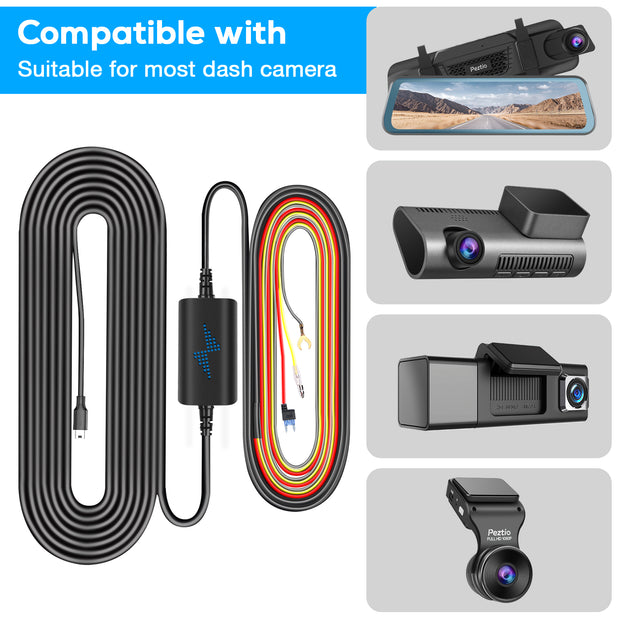
- Peztio dash cam and its hardwire kit or 12V hardwire adapter.
- Fuse tap (add-a-fuse) or direct fuse splice kit.
- Multimeter or test light to identify fuses.
- Wire crimper and electrical tape or heat shrink.
- Trim removal tools and panel pry tools.
- Ring terminal and grounding bolt or self-tapping screw.
- Zip ties and cable clips for routing.
Safety items
- Gloves and safety glasses.
- Service manual or fuse chart for your vehicle.

Basic wiring overview for the peztio car dash cam
Most hardwire kits have three wires. Know what each wire does before you connect anything.
Common wire functions
- Constant 12V wire: Provides power even when ignition is off. Used for parking mode.
- ACC (accessory) 12V wire: Only has power when the key is in ACC or ON. Used to power camera during drives.
- Ground wire: Connects to the car’s metal chassis.
A typical kit uses these colors, but always confirm:
- Red often equals constant 12V.
- Yellow often equals ACC 12V.
- Black equals ground.
Double-check your Peztio manual for exact wire colors before you start.

Safety and preparation before you hard wire the peztio car dash cam
Safety first. A small mistake can blow a fuse or drain your battery.
Pre-install checks
- Read your car’s fuse box diagram. Know which slot is ACC and which is constant.
- Disconnect the vehicle battery or keep it disconnected while you work on live fuses.
- Use a multimeter or test light to confirm which fuses are hot at ACC vs. always hot.
- Use a hardwire kit with low-voltage cutoff to prevent battery drain.
Personal tip from installs
- I always label my fuse taps with tape and a pen. It prevents confusion later.

Step-by-step: how to hard wire the peztio car dash cam
Follow these steps to hard wire the peztio car dash cam cleanly.
Park, secure, and prep
- Park on level ground and set parking brake.
- Turn off ignition and remove key.
- If you choose, disconnect the negative battery terminal for safety.
Locate the fuse box
- Find the fuse box inside the cabin. Consult your owner’s manual if you need help.
- Open the fuse box cover and locate the ACC fuse and a constant 12V fuse.
Identify correct fuses
- Use a test light or multimeter. With key off, the constant fuse is live. Turn key to ACC and find the ACC fuse that becomes live.
- Choose fuses that are not critical systems. Avoid ABS, airbags, and engine management circuits.
Install the fuse tap
- Insert the fuse tap into the fuse slot you selected for the constant 12V feed.
- Add the original fuse back into the tap and add a secondary fuse for the tap if required by the kit.
Connect ACC and constant wires
- Attach the red (or kit-labeled constant) wire to the constant fuse tap.
- Attach the yellow (or kit-labeled ACC) wire to the ACC fuse tap.
- If your Peztio kit only needs one input for parking mode, follow the kit manual.
Ground the black wire
- Find a clean metal grounding point near the fuse box.
- Use a ring terminal on the ground wire and bolt it to the chassis or a factory ground.
Route the cable to the dash cam
- Tuck the cable into the headliner and along trim panels.
- Avoid sharp edges and hot components.
- Use trim tools to lift panels gently without breaking clips.
Test before reassembly
- Reconnect the battery if you removed it.
- Turn key to ACC and verify the dash cam powers on.
- Turn key off and check whether the cam stays on if you used a constant feed and parking mode is enabled.
Secure and finalize
- Use zip ties to secure cables.
- Reinstall any panels you removed.
- Keep the fuse tap area clean and covered.
I always test twice: once for power, once for parking mode behavior. This saved me a blown fuse on one early install.

Choosing the right fuses and avoiding mistakes
Pick fuses that won’t interfere with key systems. The right choice protects both car and dash cam.
Fuse selection tips
- Use low-current circuits like radio or cigarette lighter for ACC lines.
- Avoid airbag and ABS circuits.
- Prefer a fuse with the same amperage rating as the original. The fuse tap should hold the original fuse and the accessory fuse.
Common mistakes and how to avoid them
- Mistake: Tapping a critical circuit. Fix: Use the car’s fuse chart.
- Mistake: No ground. Fix: Always secure a metal ground point.
- Mistake: No voltage cutoff. Fix: Use a hardwire kit with battery protection to prevent deep discharge.
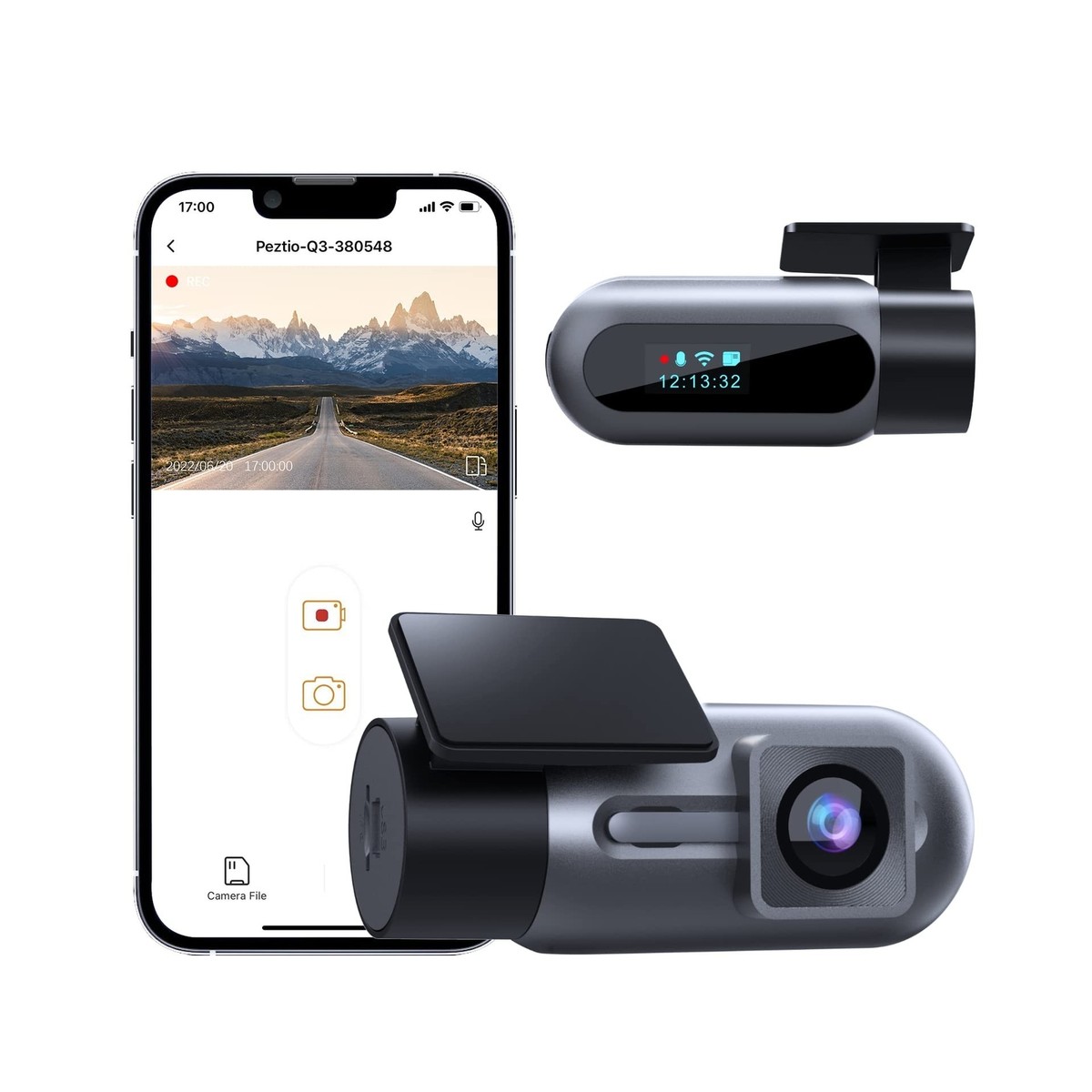
Parking mode and battery protection for the peztio car dash cam
Parking mode can drain your battery. Use a kit that prevents that from happening.
Options for battery protection
- Hardwire kit with low-voltage cutoff. Set the cutoff no lower than 12.0V for normal cars.
- Use a separate battery pack or external power bank for long-term parking.
- Limit parking mode time and footage length in the Peztio settings to reduce drain.
How to set parking mode
- Hardwire constant 12V to the dash cam.
- Enable parking mode in the Peztio menu.
- Configure motion detection, sensitivity, and length of clips.
Personal note
- I set my cutoff to 12.2V. It gives a safe margin and helps the car start reliably.

Troubleshooting common issues when you hard wire the peztio car dash cam
If the camera won’t power, start with basics. A few checks fix most problems.
Quick troubleshooting steps
- No power: Check fuse taps and fuses. Test for voltage at the adapter wires with a multimeter.
- Powers only with ignition: Swap ACC and constant lines or re-test fuses.
- Camera drains battery: Verify low-voltage cutoff is working or lower the parking mode sensitivity.
- Interference or noise: Reroute cable away from stereo or antenna wires.
Real example
- I once had a camera reboot every few minutes. The issue was a loose ground. Tight ground fixed it.
Tips for a clean, professional install
Small details make a big difference in longevity and appearance.
Pro install tips
- Tuck wires under the headliner for a factory look.
- Use heat shrink on wire joins for durability.
- Label the wires and save a photo of the fuse box for future reference.
- Keep an inline fuse close to the tap if your kit doesn’t include one.
Maintenance tips
- Check the fuse box yearly for corrosion.
- Update Peztio firmware when updates are available.
- Test parking mode occasionally to ensure settings still work.
Frequently Asked Questions of how to hard wire the peztio car dash cam
What wire colors does the Peztio hardwire kit use?
Most kits use red for constant 12V, yellow for ACC, and black for ground, but always confirm with your Peztio manual before wiring.
Do I need a special hardwire kit to enable parking mode?
Yes. You need a hardwire kit that provides constant power and ideally includes a low-voltage cutoff to protect the battery.
Can I tap into any fuse to power the Peztio dash cam?
No. Avoid safety-critical circuits like airbags and ABS. Use radio, interior lights, or cigarette lighter fuses when possible.
Will hard wiring void my car warranty?
Hard wiring might affect warranty if it causes damage. Use professional installation if you’re unsure and document the install to show it was done correctly.
How do I stop the Peztio from draining my car battery?
Install a hardwire kit with low-voltage cutoff, set conservative parking mode settings, or use an external battery pack for long parking periods.
Conclusion
Hard wiring the peztio car dash cam gives you a tidy setup, reliable power, and parking mode capabilities. Follow the steps above: gather tools, identify fuses, use fuse taps, ground properly, and use a low-voltage cutoff to protect your battery. My own installs taught me to test twice, secure every wire, and use heat shrink on joins. Now try the steps on your car, start small, and ask questions if you run into trouble. If this guide helped, leave a comment, subscribe, or explore your Peztio settings to get the most from your dash cam. Understanding how to use a dash cam effectively is just as important as the installation process. Familiarize yourself with the settings and features of your Peztio to optimize its performance. Watching tutorials or reading user manuals can enhance your experience and ensure you make the most of your investment.

