


Use a 12V plug or hardwire to the fuse box; tuck wires under trim for a clean install.
I’ve installed many dash cams over the years and know the fast and safe ways to hook up a dash cam to the car. This guide walks you step by step, from tools and parts to wiring options and testing. You’ll learn how to hook up a dash cam to the car so it records reliably, looks neat, and won’t drain your battery.
Read on for simple instructions, troubleshooting tips, and real-world lessons I learned the hard way.
WHY INSTALL A DASH CAM?
A dash cam records events on the road. It helps with accident evidence, insurance claims, and peace of mind. Knowing how to hook up a dash cam to the car correctly means clear footage and no surprise battery drain. I’ll show you safe ways to power and place the camera for best results.

What you’ll need
Gather these items before you start. This saves trips and mistakes.
- Dash cam with power cable and mount. Ensure it has the features you want.
- 12V cigarette lighter adapter or hardwire kit with fuse tap. Pick based on your car and needs.
- Trim removal tools and a small flat tool. These make routing wires safe and clean.
- Multimeter to find switched vs. constant power. This helps avoid wrong fuse taps.
- Zip ties, tape, and optional OBD-II adapter. Keep cables tidy and secure.
This checklist will help you hook up a dash cam to the car with fewer surprises.
How to hook up a dash cam to the car
Below are clear steps for the three common power methods and camera setup. Choose one path and follow it. The basic steps apply no matter which method you choose.
1. Prepare the car and camera
- Park on level ground and turn off the ignition. Safety first.
- Read the dash cam manual. It often shows the best mounting spot.
- Charge the camera battery if it has one. This prevents shutdowns during setup.
Before you start wiring, decide how to hook up a dash cam to the car: via cigarette lighter, hardwire, or OBD-II adapter.
2. Mount the camera and route the cable
- Clean the windshield where the mount will stick.
- Fit the mount and align the camera with the hood center.
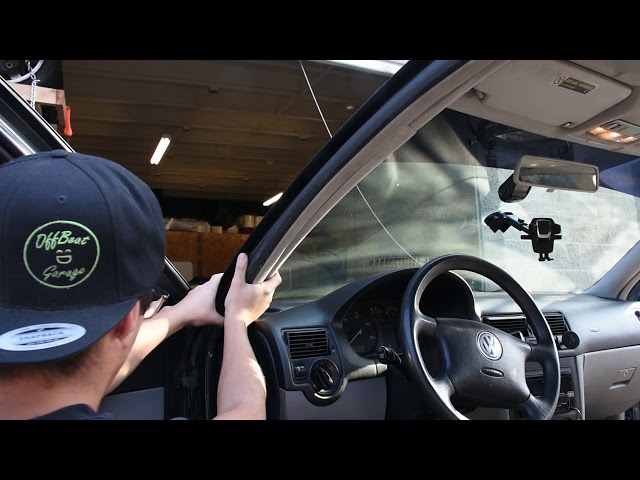
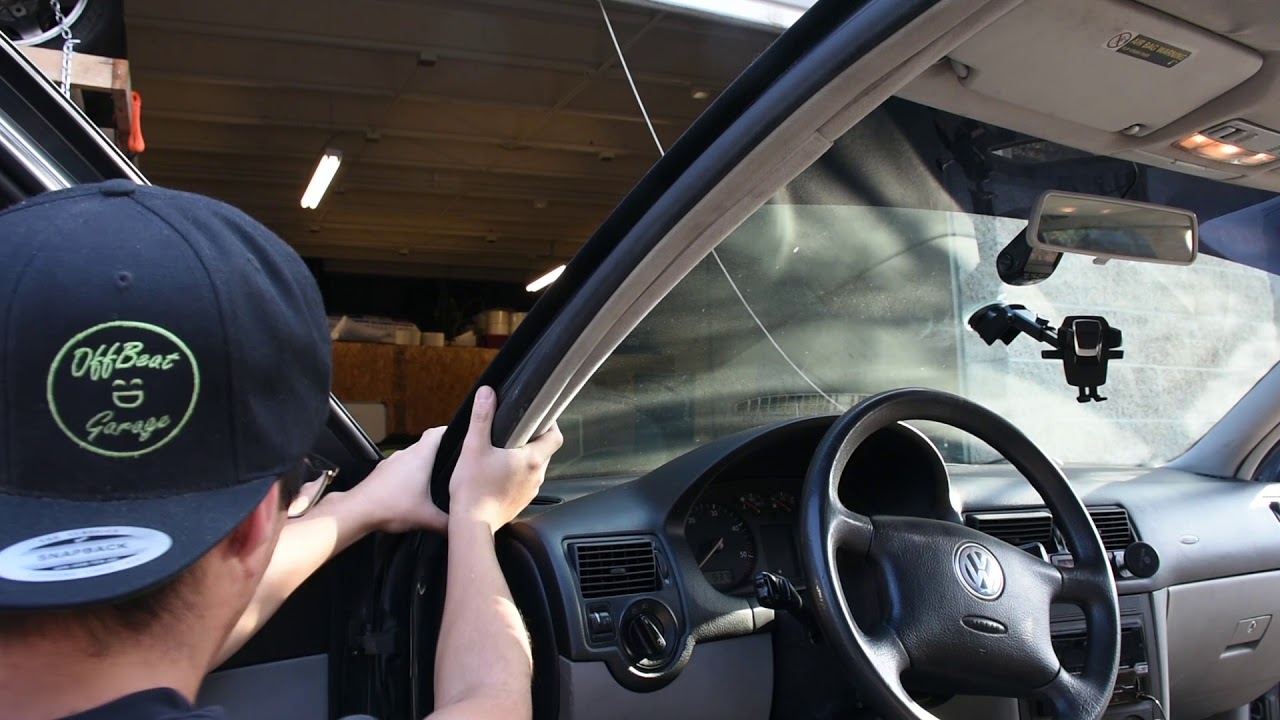
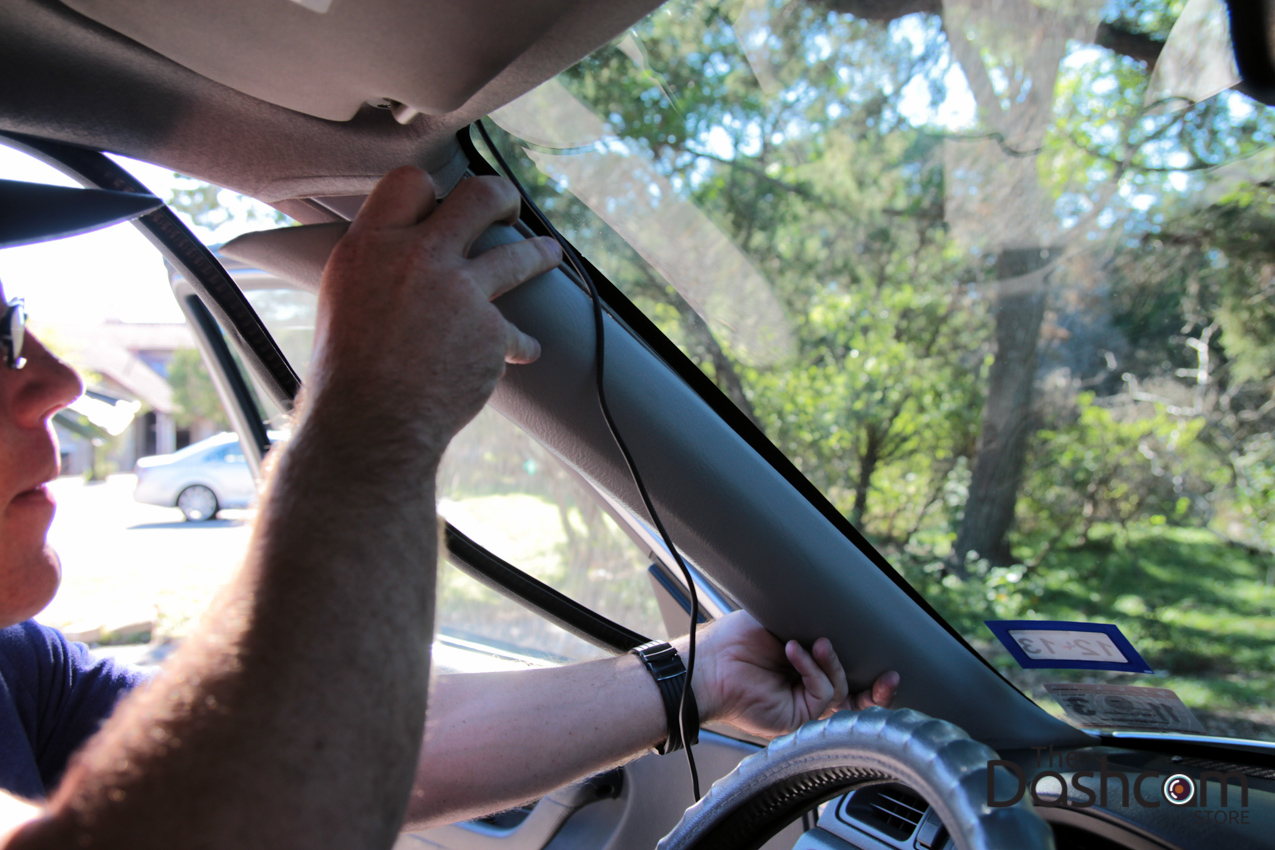
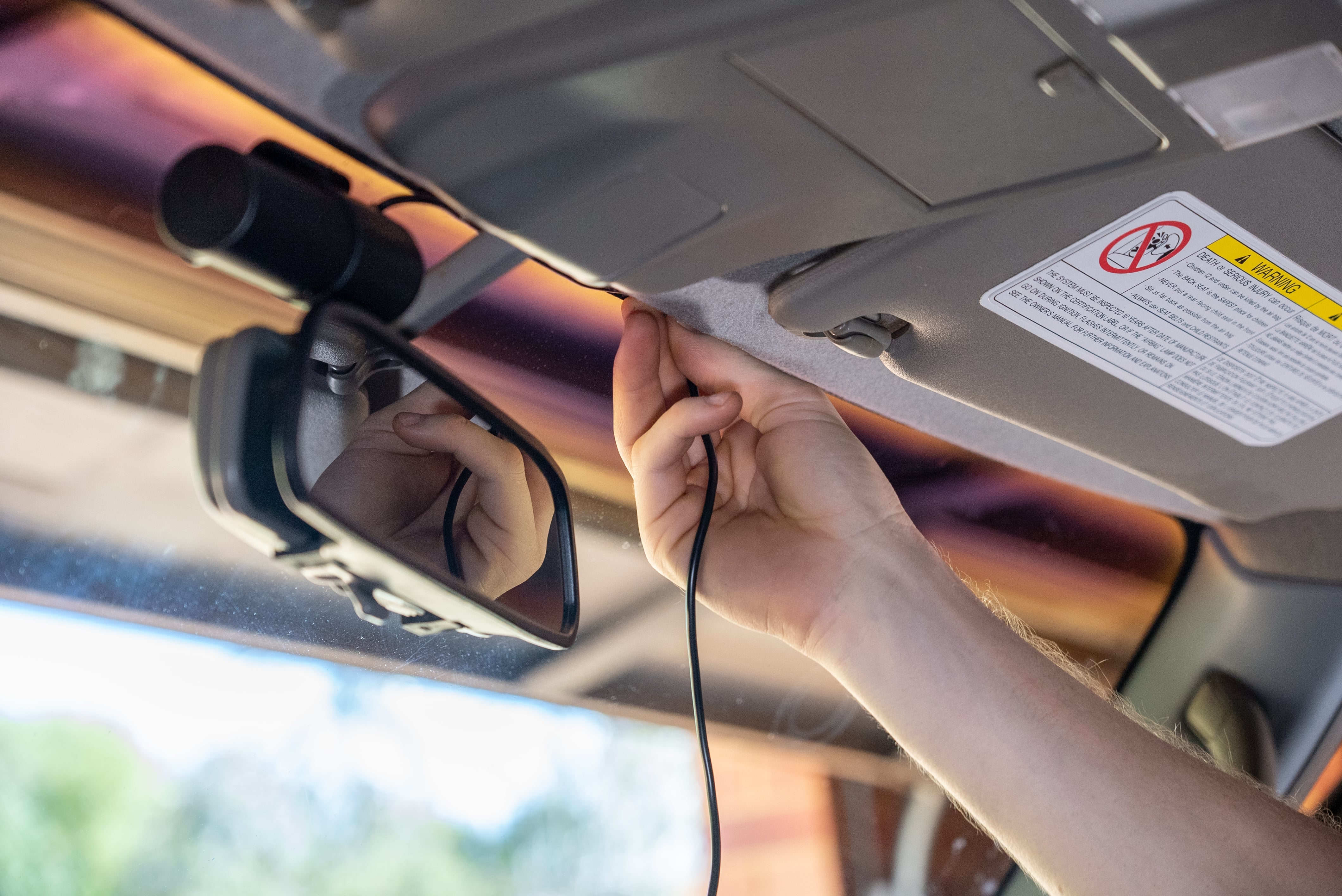
- Tuck the power cable into the headliner, then down the A-pillar, and along the dash seam.
When routing, think about how to hook up a dash cam to the car so wires are hidden and do not interfere with airbags.
3. Option A — Use the 12V cigarette lighter (quick, no tools)
- Plug the camera’s power adapter into the 12V socket. Turn the ignition on to test.
- Tuck the cable into trim to hide it and prevent tangles.
- This method is best if you want a quick install and will remove the camera often.
Plugging into the 12V outlet is the simplest way to hook up a dash cam to the car.
4. Option B — Hardwire to the fuse box (clean, permanent)
- Remove the fuse box cover and locate a switched ignition fuse and a ground screw or metal bracket.
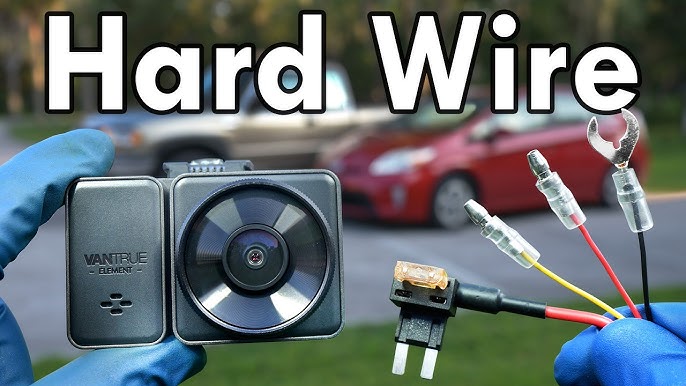
- Use a fuse tap from a hardwire kit. Attach the camera’s red lead to the switched lead and the yellow lead to constant power if parking mode is needed.
- Ground the black wire to a metal point on the car chassis, not to plastic.
Hardwiring is a clean way to hook up a dash cam to the car and enables parking mode and discreet power.
5. Option C — OBD-II adapter (easy, reversible)
- Plug the OBD adapter into the OBD-II port under the dash.
- Run the cable up behind the dash and secure it out of sight.
- This method draws switched power and is fast to install and remove.
Using an OBD-II adapter is another method to hook up a dash cam to the car without touching the fuse box.
6. Connect a rear camera (if applicable)
- Route the rear camera cable under trim panels and through door seals carefully.
- Plug the rear cable into the main unit and test video feed.
- Secure the rear camera mount at an angle that captures the rear window view.
If you have a rear camera, learn how to hook up a dash cam to the car so the rear cable runs cleanly and stays weather-tight.
Power options and fuse tap details
Different cars and needs call for different power sources. Know the pros and cons.
- 12V socket
- Pros: Fast, no wiring. Cons: Visible cable and power only when ignition is on.
- Hardwire to fuse box
- Pros: Neat, parking mode, hidden wiring. Cons: Requires care and a fuse tap.
- OBD-II adapter
- Pros: Reversible, usually switched power. Cons: Cable can hang and be visible.
Choosing the right power method affects how to hook up a dash cam to the car safely and reliably. Use a multimeter to check fuse types before tapping.
Mounting and cable routing tips
Good mounting and routing keep the camera steady and the car tidy.
- Aim the camera at the road center. Avoid aiming at the hood or too high.
- Keep the mount near the rearview mirror so it is less visible and not distracting.
- Route wires behind trim and under the dash. Avoid placing wires where airbags deploy.
- Use small zip ties and tape to secure loose cables. Don’t overtighten.
Mounting choices directly impact how to hook up a dash cam to the car for clean footage and a neat look.

Testing and troubleshooting
Test everything before you finish. A quick check avoids headaches later.
- Turn the ignition on and verify the camera powers up and starts recording.
- Check front and rear views if available. Play back a sample recording.
- If the camera does not power, test the adapter or fuse tap with a multimeter.
- If files are corrupt, reformat the memory card in the camera and try again.
After mount and wiring, test how to hook up a dash cam to the car by checking power, recording, and playback to confirm proper setup.

Legal and privacy considerations
Laws vary by place. Be mindful of privacy and safety.
- Check local laws about recording audio and video in public places.
- Avoid placing the camera in locations that block the driver’s view.
- Tell passengers or others if recordings are being made when required by law.
Respect local rules when you install a dash cam and how to hook up a dash cam to the car in public or sensitive areas.
Maintenance and storage
Keep the camera working well with a little care.
- Update firmware occasionally to fix bugs and improve features.
- Format the memory card monthly or as recommended by the manufacturer.
- Store camera parts in a cool place and unplug if you won’t use the car for long.
Proper upkeep is part of how to hook up a dash cam to the car for long-term use and reliable recordings.

Frequently Asked Questions of how to hook up a dash cam to the car
Will installing a dash cam void my car warranty?
Most dash cam installs do not void a car warranty if you do not alter critical systems. Hardwiring should be done carefully; keep receipts and document the work in case of disputes.
Can a dash cam drain my car battery if hardwired?
It can if wired to constant power without a low-voltage cutoff. Use a hardwire kit with battery protection or connect to a switched fuse to avoid drain.
Do I need a professional to hardwire a dash cam?
You can hardwire it yourself with basic tools and a multimeter, but a pro is safer if you are unsure. A pro can find the right fuse and ensure a clean install.
Is it legal to record with a dash cam in public?
Laws vary by state and country. Recording public roads is usually allowed, but audio recording rules differ, so check local regulations.
How do I test the dash cam after hooking it up?
Turn the car on and check that the camera powers and starts recording. Play back a short clip and verify both video and timestamp accuracy.
Can I use a dash cam with parking mode without draining the battery?
Yes, use a hardwire kit with a battery protection feature or a dedicated parking power module to prevent deep battery discharge.
Conclusion
You can hook up a dash cam to the car in a few clear ways: plug into the 12V outlet, use an OBD-II adapter, or hardwire to the fuse box for a clean look and parking mode. Plan the mount, route cables carefully, and test power and recordings before finishing. Take time to learn the fuse types and use a multimeter for safety. Try one method on a weekend, follow the steps here, and you’ll have a tidy, reliable install. If this guide helped, leave a comment with your dash cam model or subscribe for more car tech tips. For those specifically looking for instructions, check out tutorials on how to use apeman dual dash cam, as they can provide useful insights tailored to your device. Additionally, remember to regularly review your recordings to ensure everything is functioning correctly and to free up storage space. Keeping your dash cam updated with the latest firmware can also enhance functionality and performance. Additionally, familiarize yourself with your specific dash cam’s features, as each model may have different requirements for installation. Searching for tutorials on how to install a dash cam can provide valuable visual guidance and tips from experienced users. Once everything is set up, take a moment to ensure the camera’s angle captures the best view of the road ahead.


