


2K dash cams capture finer detail, but 1080p often meets most everyday needs.
I have tested and installed dozens of dash cams over several years for friends, clients, and my own cars. Here I break down 1080p vs 2k dash cam differences with clear, practical advice. You will learn how resolution affects clarity, storage, night footage, cost, and real-world value. Read on for hands-on tips, settings I use, and simple rules to pick the right dash cam for your needs. Additionally, while higher resolutions like 1080p and 2k offer improved clarity, there are also 720p dash cam advantages that shouldn’t be overlooked. For those on a budget, a 720p dash cam can provide adequate quality for everyday use, especially in well-lit conditions. It’s crucial to assess your specific needs and driving environment to determine the best option for you.
How 1080p and 2K differ technically
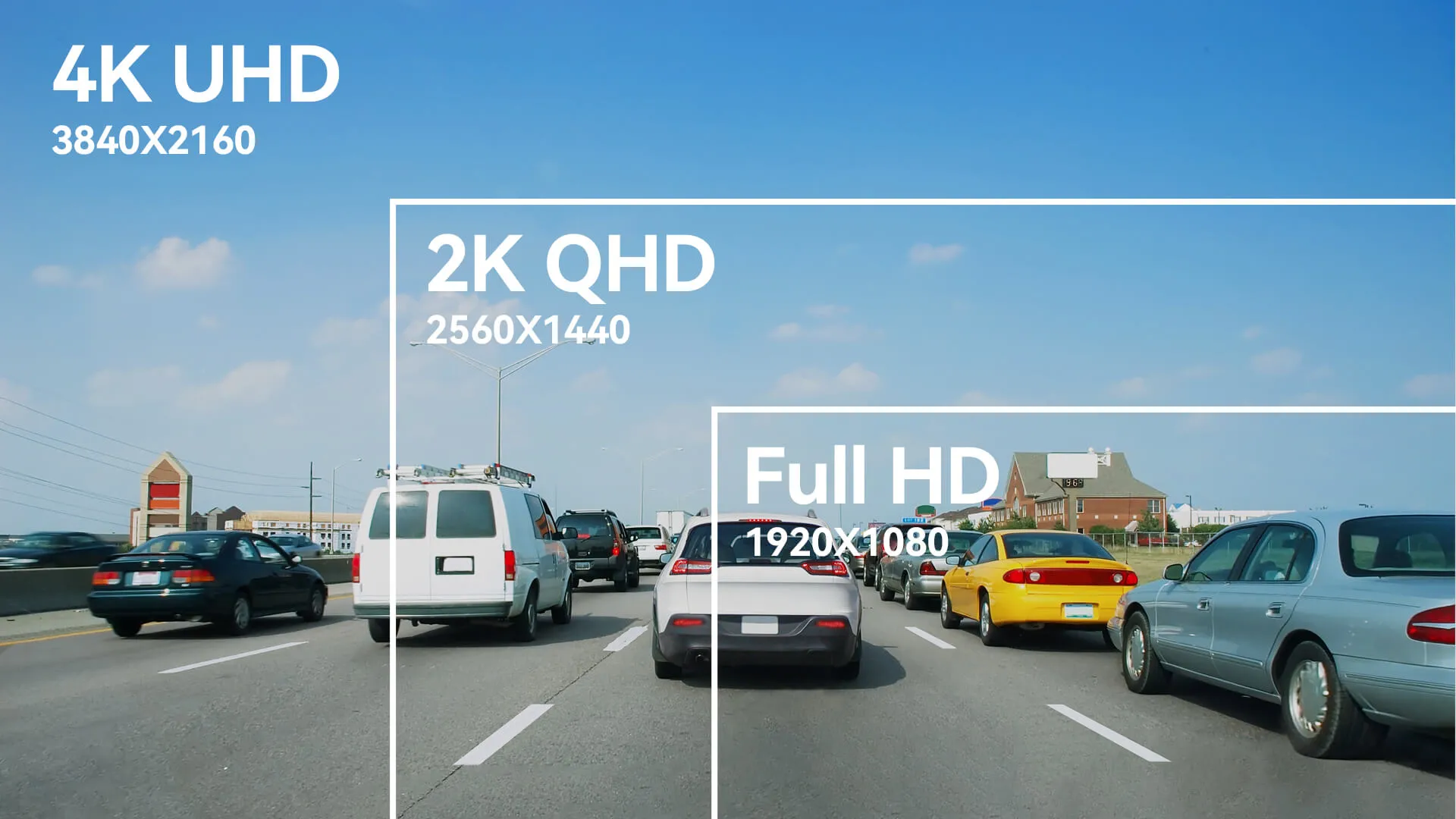
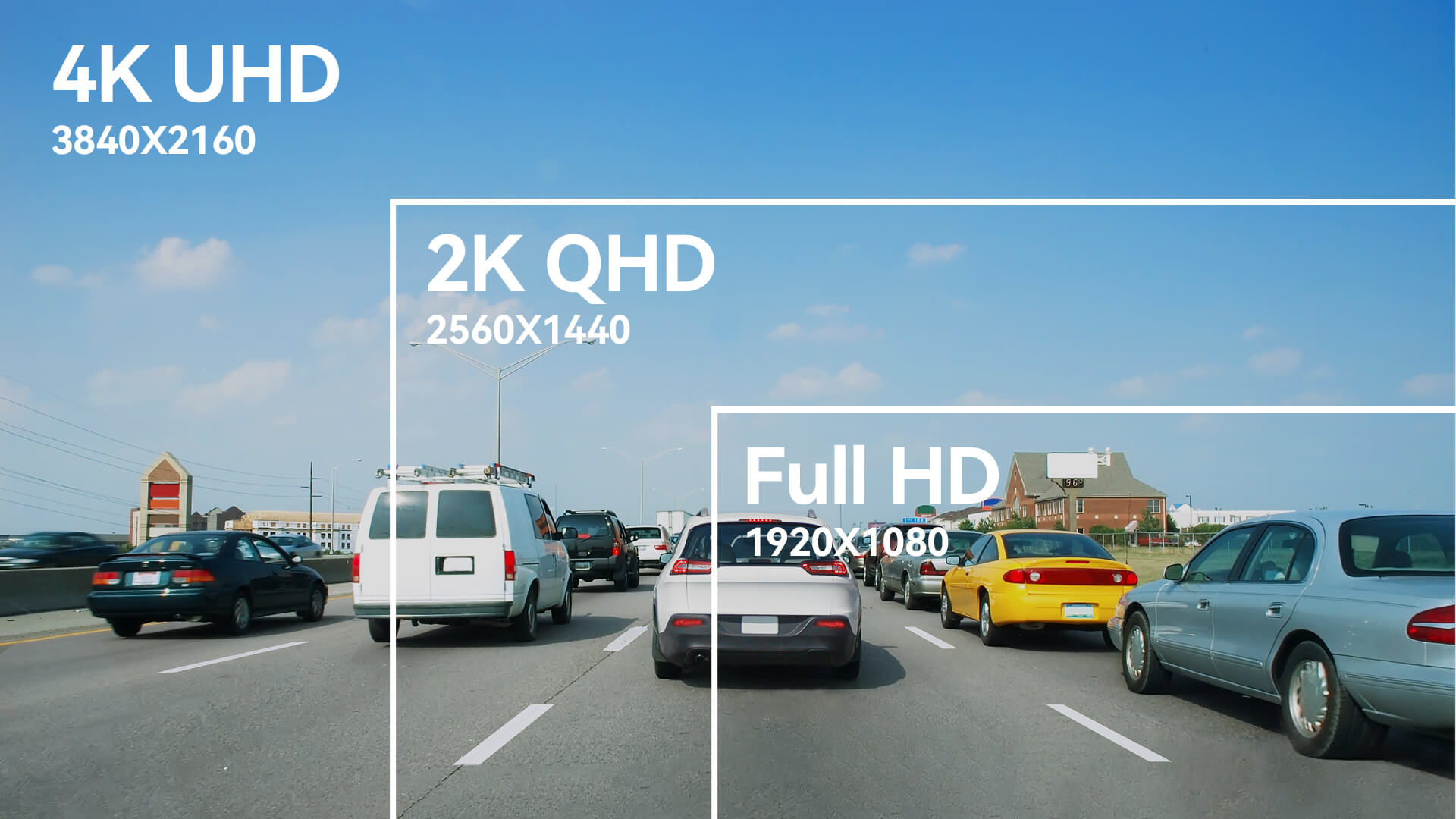
1080p means 1920 x 1080 pixels. 2K commonly refers to roughly 2560 x 1440 pixels. That is about 1.8x more pixels in 2K than in 1080p. More pixels can show finer detail at the same field of view. The phrase 1080p vs 2k dash cam sums up whether that extra detail matters for you.

Real-world clarity: what you actually see on the road
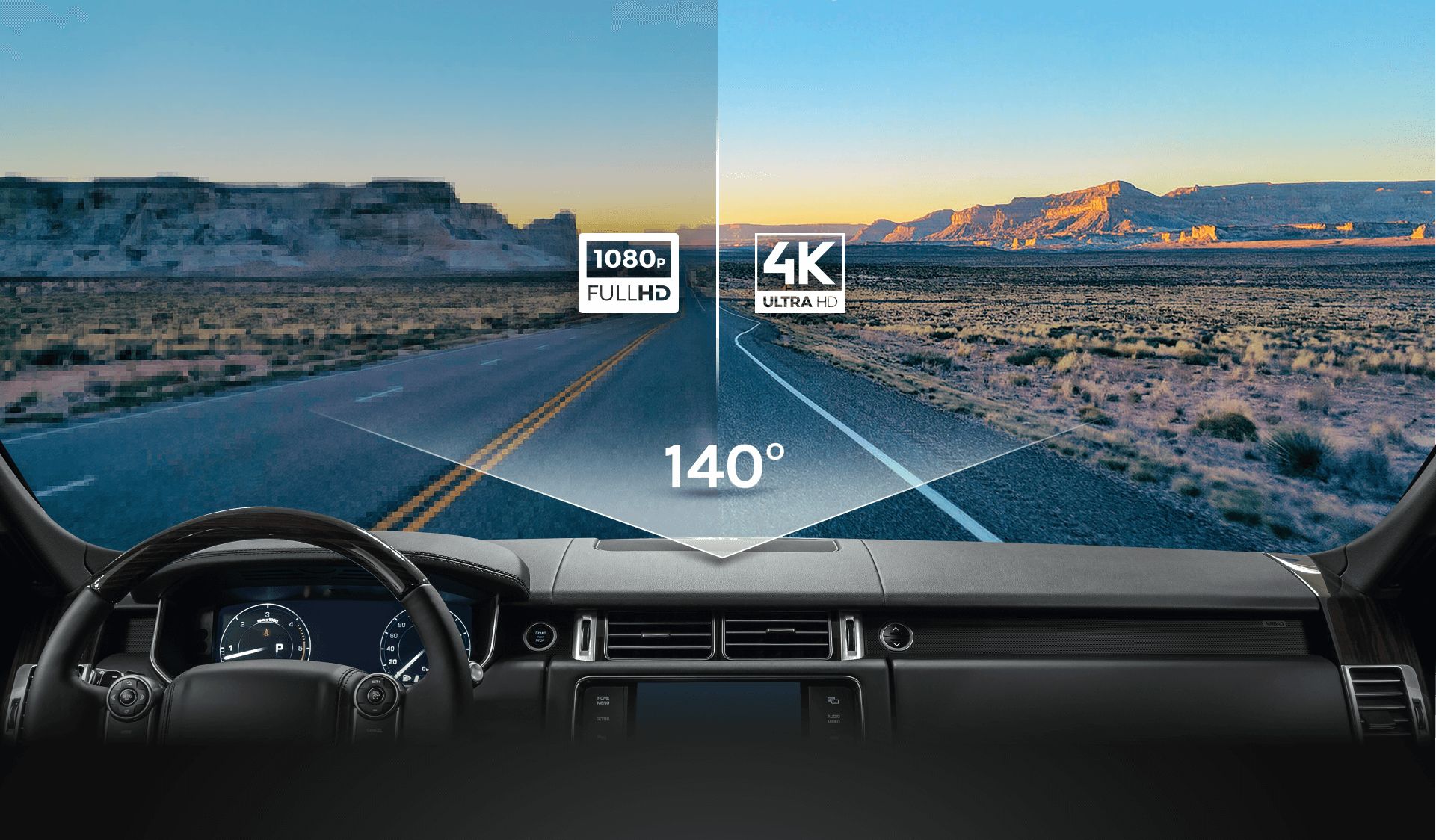
Resolution helps with small details. 2K makes license plates and faces easier to read at distance. In bright daytime, the difference is clear. In low light, sensor quality and lens matter more than resolution. A high-quality 1080p sensor can outperform a poor 2K sensor at night. When weighing 1080p vs 2k dash cam, consider both resolution and sensor size.
Personal test: I recorded the same intersection with a 1080p and a 2K camera. At 30 feet, the 2K video showed plate numbers two lines clearer. At dusk, both needed higher bitrate to avoid blockiness.
Interested in 1080p vs 1440p dash
Storage, bitrate, and file size trade-offs
Higher resolution needs higher bitrate. Typical bitrate ranges:
- 1080p: 10–20 Mbps for good quality.
- 2K: 18–35 Mbps for comparable sharpness.
Estimate example for one hour of footage:
- 1080p at 15 Mbps ≈ 6.75 GB per hour.
- 2K at 25 Mbps ≈ 11.25 GB per hour.
Use fast cards rated U3 or V30+ for reliability. If you use parking mode or long loop recordings, pick larger cards and manage bitrate. When comparing 1080p vs 2k dash cam, remember storage cost and upload time grow with resolution.

Low-light performance and dynamic range
Resolution does not guarantee better night footage. Key factors:
- Sensor size and sensitivity matter most.
- Aperture and lens quality control light intake.
- Dynamic range helps with bright headlights and shadows.
I saw a 1080p dash cam with a larger sensor produce clearer night plates than a small-sensor 2K model. For night driving, prioritize sensor quality and dynamic range over just resolution when deciding 1080p vs 2k dash cam.

Processing, hardware, and heat
Higher resolution needs stronger processing. This can mean:
- Higher power draw and more heat.
- Faster SOC and better cooling in the camera.
- More demand on write speed for cards.
Some compact 2K dash cams run hot in summer. That can shorten lifespan or trigger thermal throttling. When choosing 1080p vs 2k dash cam, check build quality and heat management. Reliable brands often include better cooling and firmware optimizations.

Cost, value, and who should pick which
Think about your use case:
- City drivers who need clear plates from short distances: 2K is useful.
- Commuters or local drivers: 1080p often offers great value.
- Rideshare or commercial drivers: 2K can reduce disputes with clearer proof.
Price differences vary. Entry-level 1080p models are often much cheaper. Mid-range 2K models add cost but give better evidence in disputes. Balance budget, storage, and intended use when weighing 1080p vs 2k dash cam. Additionally, buyers should consider the convenience of accessing footage and sharing it with others, which can be significantly affected by the difference between wifi and nonwifi dashcam. While wifi-enabled models allow for easy transfer of files and real-time monitoring, non-wifi dash cams may offer better reliability and simpler operation. Ultimately, assessing the specific needs and preferences will help in making an informed decision.
Practical tips and recommended settings
Short, actionable tips I use:
- Set bitrate to the highest stable option your camera supports.
- Use 60 FPS only if motion blur is a problem; otherwise 30 FPS saves space.
- Choose a lower field of view if you need better plate detail at a distance.
- Update firmware for improved processing and compression.
- Pick a good mirror mount or adhesive to reduce vibration.
If you switch from 1080p to 2K, increase card size and choose U3 or V30+ class cards. Test recordings after install to confirm plate legibility and exposure.

Frequently Asked Questions of 1080p vs 2k dash cam
What is the real difference between 1080p and 2K dash cam footage?
The real difference is pixel count: 2K has more pixels, so it shows finer details at the same framing. However, sensor quality, bitrate, and lens affect real-world clarity just as much.
Will 2K always read license plates better than 1080p?
Not always. 2K helps at a distance, but a good 1080p camera with a larger sensor can match or beat a poor 2K camera, especially at night.
Does 2K use a lot more storage than 1080p?
Yes. Expect roughly 1.5x to 2x more storage use, depending on bitrate. Plan for larger SD cards and more frequent backups.
Do I need a special SD card for a 2K dash cam?
Use U3 or V30+ cards for 2K to ensure sustained write speed and reliability. Cheaper cards can fail or corrupt files under high write loads.
Is battery life or heat a concern with 2K dash cams?
Yes. Higher-resolution models often draw more power and run warmer. Choose models with good thermal design and parking mode power management.
Can I upgrade firmware to improve 1080p footage to look like 2K?
Firmware can improve compression and color, but it cannot add true pixel detail. Firmware helps, but it won’t increase native resolution.
Read comparison: 30fps vs 60fps dash cam
Conclusion
Choosing between 1080p vs 2k dash cam comes down to needs, budget, and real-world trade-offs. If you need extra clarity for distant license plates or drive in busy areas, 2K offers clear benefits. If you want lower storage use, simpler setup, and strong night performance, a quality 1080p camera is often the smarter buy. Start by listing your priorities, then match them to sensor quality, bitrate, and storage. Test any camera before relying on it, and consider upgrading if you frequently need finer detail. Share your experience below or subscribe for more hands-on gear guides and installation tips. Another important factor to consider is future-proofing your investment, especially if technology advancements continue to improve video quality. For those contemplating an upgrade, a 5 k vs 4k dash cam comparison can provide insight into whether the higher resolution is worth the extra cost. Ultimately, aligning your choice with your specific driving habits and requirements will ensure you make a well-informed decision. Additionally, it’s important to keep in mind that while a 2K dash cam can enhance your recording experience, the 2K dash cam benefits may not be fully realized in every driving situation. Consider how often you find yourself in low-light conditions or capturing high-speed incidents, as these are scenarios where a higher resolution may prove invaluable. Ultimately, choosing the right dash cam is about finding the balance between resolution and practicality for your specific driving needs.

